Gemini Omni Reference Prompting: Image, Video, and Audio

- The Core Idea: References Need Jobs
- A Practical Reference Prompt Formula
- When to Use a Reference Image
- When to Use a Reference Video
- When to Use Audio References
- How to Combine Image, Video, and Audio References in One Prompt
- Common Mistakes
- Workflow Discipline for Reference Prompting
- Summary
- FAQs
Gemini Omni accepts images, video clips, and audio files as references inside a single prompt. That changes how you build prompts. Instead of describing everything from scratch, you point at existing assets and tell the model exactly what to take from each one.
Most people use reference inputs wrong. They attach an image and write "make something like this." The model guesses. Results vary. You lose control of the output.
This guide covers how to use reference inputs correctly across image, video, and audio, how to combine all three in one prompt, and what mistakes to avoid. Every prompt example follows the same structured format so you can adapt it directly.
The Core Idea: References Need Jobs
A reference without a job is noise. When you attach an asset to a prompt, the model has to decide what to do with it. It might copy the background. It might borrow the lighting. It might ignore the thing you actually cared about.
You fix this by assigning each reference a specific role. Tell the model what to extract and what to ignore. Be explicit about which element of the reference applies to which element of the output.
This is not about adding more words. It is about adding the right constraints. A well-assigned reference gives the model a narrow target. A vague reference gives it a wide one.
Two phrases do most of the work: "use only for" and "do not copy." Use them every time you attach a reference asset.
A Practical Reference Prompt Formula
Before getting into specific use cases, here is the reusable template. Every example in this guide maps back to it.
Goal: [What the output should be — format, length, intent]

Reference Image A: use only for [specific element]. Do not copy [what to exclude].
Reference Video B: use only for [specific element]. Do not copy [what to exclude].
Reference Audio C: use only for [specific element]. Do not copy [what to exclude].

Scene: [Location, environment, setting]
Action: [What is happening in the frame or sequence]
Camera: [Angle, movement, focal length]
Lighting and style: [Mood, color temperature, visual tone]
Text rendering: [Any on-screen text, font style, placement]
Constraints: [Hard rules — aspect ratio, duration, format, things to exclude]
You will not always use all six reference slots. Fill the ones that apply. Leave the rest out. The structure works whether you are prompting with one reference or five.
When to Use a Reference Image
Use a reference image when you need to lock in a visual element that is hard to describe in words. Product shape. A specific color finish. A brand mark. A texture that has a name but not a clean verbal equivalent.
Reference images are not mood boards. Do not attach a lifestyle photo and expect the model to absorb the vibe. Attach an image when you need one specific thing from it, and name that thing.
Image Reference Example
You are producing a 9:16 vertical ad for a skincare serum. You have a clean product shot. You want the output to use the exact bottle shape and label color, but not the white studio background or the flat lighting from the original photo.
Goal: 9:16 vertical video ad, 8 seconds, for paid social on TikTok and Instagram Reels.

Reference Image A: use only for the product bottle shape, label typography, and amber glass color. Do not copy the white background, flat studio lighting, or composition.

Scene: Bathroom countertop at golden hour. Warm backlight through frosted glass window.
Action: Product bottle sits still. A single drop of serum falls in slow motion from the dropper tip.
Camera: Low angle, slight upward tilt. Tight on the bottle. Shallow depth of field.
Lighting and style: Warm amber tones matching the bottle. Soft rim light. Cinematic, not clinical.
Text rendering: Brand name in the same serif font as the label, bottom third, white, 60% opacity.
Constraints: 9:16, 720p. No hands in frame. No voiceover. No white backgrounds.
The model now knows exactly one thing to take from the image: bottle shape, label type, and glass color. Everything else in the output comes from the scene and lighting instructions, not from the reference.
When to Use a Reference Video
Use a reference video when you need to match a motion style, a pacing pattern, or a camera behavior that is difficult to describe in text alone. Handheld shake. A specific cut rhythm. A dolly move with a particular feel.
Reference video is not a storyboard. Do not attach a competitor's ad and expect the model to replicate it. Attach a clip when you need one motion characteristic from it, and name that characteristic.
Video Reference Example
You are building a product ad for a portable blender. You have a clip from a previous ad where the camera movement felt right — a slow push-in that builds anticipation before the product activates. You want that same camera energy, but a completely different scene, product, and visual style.
Goal: 9:16 vertical video ad, 10 seconds, for paid social. Product reveal format.

Reference Video B: use only for the camera movement — slow push-in starting wide, ending tight on the product. Do not copy the scene, product, color grading, or audio from the reference clip.

Scene: Kitchen counter, morning light. Portable blender centered in frame on a white marble surface.
Action: Blender sits still for 4 seconds. Lid is pressed down. Blender activates. Contents blend for 3 seconds. Lid opens and steam rises.
Camera: Starts at medium wide. Slow push-in over 6 seconds, ending in a tight close-up on the blender lid. Then cut to a wide shot showing the finished drink.
Lighting and style: Clean, bright, natural morning light. Slight warm grade. No harsh shadows.
Text rendering: "30 seconds. Done." in bold sans-serif, top third, white, appears at second 8.
Constraints: 9:16, 720p. No voiceover. No music from reference clip. No people in frame.
The reference video contributes one thing: the push-in motion pattern. The model builds the rest from the scene description. You get the camera feel you wanted without importing anything you did not.
When to Use Audio References
Use an audio reference when you need to match a sonic texture, a tempo, a mood, or an instrumentation style that is hard to name precisely. A specific BPM feel. A genre that sits between two categories. A production style that has a reference track but not a clean verbal label.
Audio references work best when you are generating music or directing text-to-voice output. They give the generation model a target frequency, not just a genre tag.
Audio Reference Example
You are producing a short ad for a fitness supplement. You have a track with the right energy: mid-tempo, driving bass, minimal vocals, slightly dark. You want generated music that matches that feel without copying the track.
Goal: 8-second background music track for a 9:16 vertical video ad. No vocals. Loopable.

Reference Audio C: use only for tempo (approximately 110 BPM), bass texture, and overall energy level. Do not copy the melody, chord progression, or any recognizable musical phrase from the reference track.

Scene context: Fast-cut product ad. Supplement powder poured into a shaker. Shaker sealed and shaken. Product label revealed.
Lighting and style: Dark, high-contrast visuals. Music should match the visual tension.
Constraints: 8 seconds. Loopable. No lyrics. No recognizable samples. Fade out in final second.
The reference audio gives the model a tempo anchor and a texture target. The output should feel like the reference without reproducing it. That distinction matters for both creative control and avoiding unintended duplication of protected material.
How to Combine Image, Video, and Audio References in One Prompt
Multimodal prompting is where Gemini Omni's reference capability becomes genuinely useful. Attach an image for product accuracy, a video for motion style, and an audio file for sonic mood — all in one prompt, each with its own assigned job.
The key is keeping the reference assignments clean. Blur the jobs and the model blurs the output. Each reference should have one job and one exclusion set.
Full Multimodal Prompt Example
You are producing a 12-second TikTok ad for a wireless earbud. You have three assets: a product photo with the exact colorway and form factor you need, a short clip with a camera move you want to replicate, and a reference track that captures the right energy for the audio bed.
Goal: 9:16 vertical video ad, 12 seconds, for TikTok and Instagram Reels. Product-led, no presenter.

Reference Image A: use only for the earbud shape, charging case design, and matte white finish. Do not copy the background, lighting setup, or composition from the product photo.

Reference Video B: use only for the camera movement — a smooth orbital shot that circles the product over 4 seconds. Do not copy the product, scene, color grade, or audio from the reference clip.

Reference Audio C: use only for the tempo (approximately 95 BPM), the synth texture in the mid-range, and the overall low-energy-high-focus mood. Do not copy the melody, any vocal element, or the specific bass line from the reference track.

Scene: Minimalist white desk. Earbuds and open charging case centered. Morning light from the left. Small green plant partially visible in the background, soft focus.
Action: Orbital camera circles the earbuds for 4 seconds. Then a close-up on the case snapping shut. Then a wide pull-back revealing the full desk setup. Final 2 seconds: static shot, earbuds in case, lid open.
Camera: Orbital move first. Then cut to extreme close-up on case hinge. Then slow pull-back to medium wide. No handheld shake. Smooth throughout.
Lighting and style: Clean, cool-white ambient light. Slight blue-white grade. Minimal shadows. Product should feel premium but approachable.
Text rendering: "All day. Every day." in light-weight sans-serif, bottom third, white, appears at second 9. Brand name below it, smaller, same font.
Constraints: 9:16, 720p. No people. No voiceover. No music from reference clip. Output must loop cleanly if possible.
Three references. Three jobs. Each one scoped tightly. The model has a clear visual target from the image, a clear motion target from the video, and a clear audio target from the audio file. The scene, action, camera, and lighting fields fill in everything else.
This is the structure that scales. Once you have a working multimodal prompt for one product, you adapt it for the next SKU by swapping the reference assets and updating the scene description. The template stays intact.
Common Mistakes
Attaching references without assigning jobs
The most common error. You attach an image and write "in this style." The model picks something from the image. Maybe it is what you wanted. Usually it is not. Assign the job explicitly with "use only for."
Using "do not copy" without specifying what to take
The exclusion phrase only works when paired with an inclusion phrase. "Do not copy the background" does not tell the model what to do with the image. "Use only for the product shape. Do not copy the background" gives it both a target and a boundary.
Attaching too many references without scoping each one
Three references with clear jobs outperform six references with vague ones. If you cannot write a specific "use only for" statement for a reference, leave it out.
Using a reference video as a storyboard
A reference video is not a shot list. Attach a competitor's ad and say "make something like this" and you get an approximation of everything, not precision on anything. Identify the one motion quality you want and name it.
Treating audio references as genre tags
"Upbeat" and "energetic" are genre tags. A reference audio file is a tempo anchor, a texture sample, and a mood calibration. Use it for those things. Write the "use only for" statement to match.
Mixing reference jobs across assets
If you use Reference Image A for both product shape and lighting style, you create ambiguity. When the lighting in the image conflicts with the lighting in your scene description, the model has to resolve it — and it may not resolve it the way you want. Keep each reference to one job category.
Workflow Discipline for Reference Prompting
Good reference prompting is a system, not a one-off skill. Here is how to build it into a repeatable process.
Audit your assets before you prompt. Before attaching anything, identify exactly what you need from each file. Write it down. If you cannot name the one thing you need from an asset, do not attach it yet.
Write the "use only for" statement first. Start with the constraint, not the asset. Decide what you need, then find the reference that provides it. Working backwards from the constraint keeps your reference selection tight.
Test one reference at a time. When building a new prompt, test each reference in isolation before combining them. Confirm the image reference produces the right product accuracy. Confirm the video reference produces the right motion. Then combine. This makes debugging faster.
Save working prompts as templates. When a multimodal prompt produces a strong output, save the full prompt structure. Replace the reference-specific details when you move to a new product. The field labels, the "use only for" phrases, and the constraint structure carry over directly.
Iterate on constraints, not on scene descriptions. When an output misses, the problem is usually in the reference assignment, not in the scene. Tighten the "use only for" statement or add a "do not copy" clause before rewriting the scene.
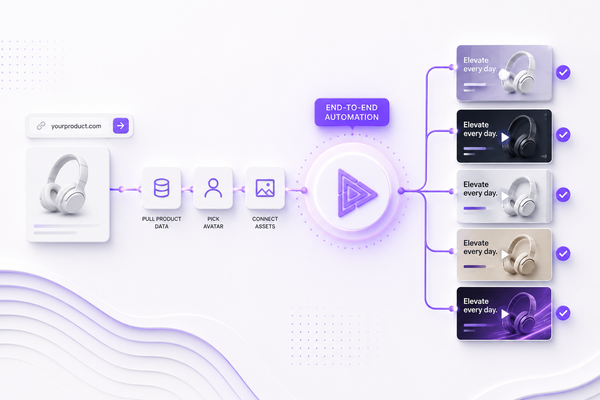
This kind of prompt discipline is what separates one-off outputs from a repeatable production system. The same logic applies when you are running models inside a multi-model workspace like v4v, where products, avatars, styles, and assets stay connected across projects — so you are not rebuilding from scratch every time you move to a new SKU.
Summary
Gemini Omni's reference inputs are precise tools, not inspiration boards. Use them precisely.
Assign every reference a specific job with "use only for." Set a clear boundary with "do not copy." Use the six-field prompt structure — Goal, Reference, Scene, Action, Camera, Lighting and style, Text rendering, Constraints — to keep every output controllable and repeatable.
Image references lock in visual accuracy. Video references transfer motion style. Audio references calibrate tempo and texture. Combined, they give you a full creative brief built from assets you already trust.
The template scales. One working multimodal prompt becomes the foundation for every product variant, every SKU swap, every client brief.
FAQs
What does "use only for" do in a Gemini Omni reference prompt?
It tells the model exactly which element of the reference to extract and apply to the output. Without it, the model decides what to take from the reference, which leads to inconsistent results. "Use only for the product shape" means the model applies that reference to shape and nothing else.
Can I attach more than one image reference in a single prompt?
Yes. Gemini Omni supports multiple reference inputs in one prompt. The important rule is that each reference needs its own "use only for" statement. If two references have overlapping jobs, the model has to resolve the conflict — and it may not resolve it the way you want.
What is the difference between a reference video and a storyboard?
A storyboard describes what should happen in the output. A reference video provides a motion quality for the model to match. Use a reference video when you need a specific camera behavior or pacing feel. Use your Scene and Action fields to describe what actually happens in the output.
How specific should the "do not copy" exclusion be?
As specific as the risk. If the reference image has a background that could bleed into the output, name it: "Do not copy the white studio background." If the reference video has a color grade you want to avoid, name it: "Do not copy the teal-orange color grade." Generic exclusions like "do not copy the style" are too broad to be useful.
Can audio references be used for voiceover style, not just music?
Yes. If you are directing text-to-voice output, an audio reference can calibrate pace, tone, and delivery style. Apply the same structure: "use only for the speaking pace and calm, measured tone. Do not copy the script content or any specific phrase from the reference."
What happens if I attach a reference without any "use only for" instruction?
The model makes its own judgment about what to extract. Sometimes that judgment is close to what you wanted. More often it is not. The output becomes harder to predict and harder to iterate on. Always assign the job explicitly.
How does this prompting approach apply when generating product video ads?
The same reference discipline applies directly. Attach a product image for shape and finish accuracy, a reference clip for the camera move you want, and an audio file for the music bed. Each reference has one job. The Scene, Action, and Camera fields handle everything else. v4v takes this further — products, avatars, styles, and assets stay connected across projects, so the reference system is persistent rather than rebuilt for every new ad.