How to Turn a Product URL into a Vertical Video Ad in Under 5 Minutes

Table of Contents
- Why Most Product Video Ads Take Too Long
- What You Need Before You Start
- Step 1: Paste Your Product URL
- Step 2: Review the Creative Brief
- Step 3: Choose Your Avatar and Style
- Step 4: Generate the Vertical Video
- Step 5: Download and Run It
- What Makes This Different from Other AI Video Tools
- FAQs
Most performance marketers don't have a creative problem. They have a speed problem. You know what the ad should say — you just can't produce it fast enough to keep up with testing.
Here's how to go from a product link to a ready-to-run 9:16 vertical ad without a video editor, a script, or a production team.
Why Most Product Video Ads Take Too Long
The standard workflow for a product video ad looks something like this: pull product images, write a script, find a voiceover, edit in Premiere or CapCut, export, resize for vertical, upload. That's hours of work for a single creative variant.
Even most AI video tools don't solve this fully. They give you a text-to-video generator or a template library, but you still have to write the script, choose the assets, and stitch everything together manually.
The bottleneck isn't talent. It's the number of steps between "product" and "ad."
What You Need Before You Start
- A product URL (Amazon, Shopify, your own store — any live product page works)
- A v4v account with credits topped up (1,000 credits costs $7; an 8-second Seedance 2.0 video runs about 349 credits)
- Five minutes
That's it. No brief document, no script, no assets prepared in advance.
Step 1: Paste Your Product URL
Go to v4v.ai and paste your product link into the URL field. v4v pulls the product data directly from the page — title, description, key selling points, imagery.
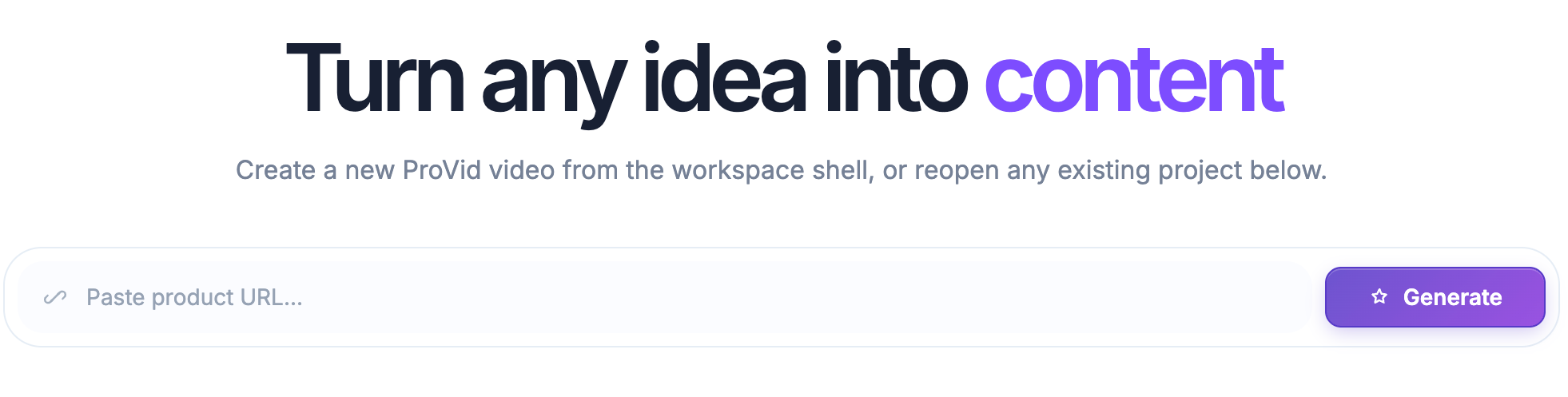
You don't write a brief. The brief writes itself from what's already on your product page.
This is where most of the time savings happen. Instead of manually extracting what makes your product worth buying, v4v reads the page and structures that information into a creative foundation automatically.
Step 2: Review the Product and Add Prompt
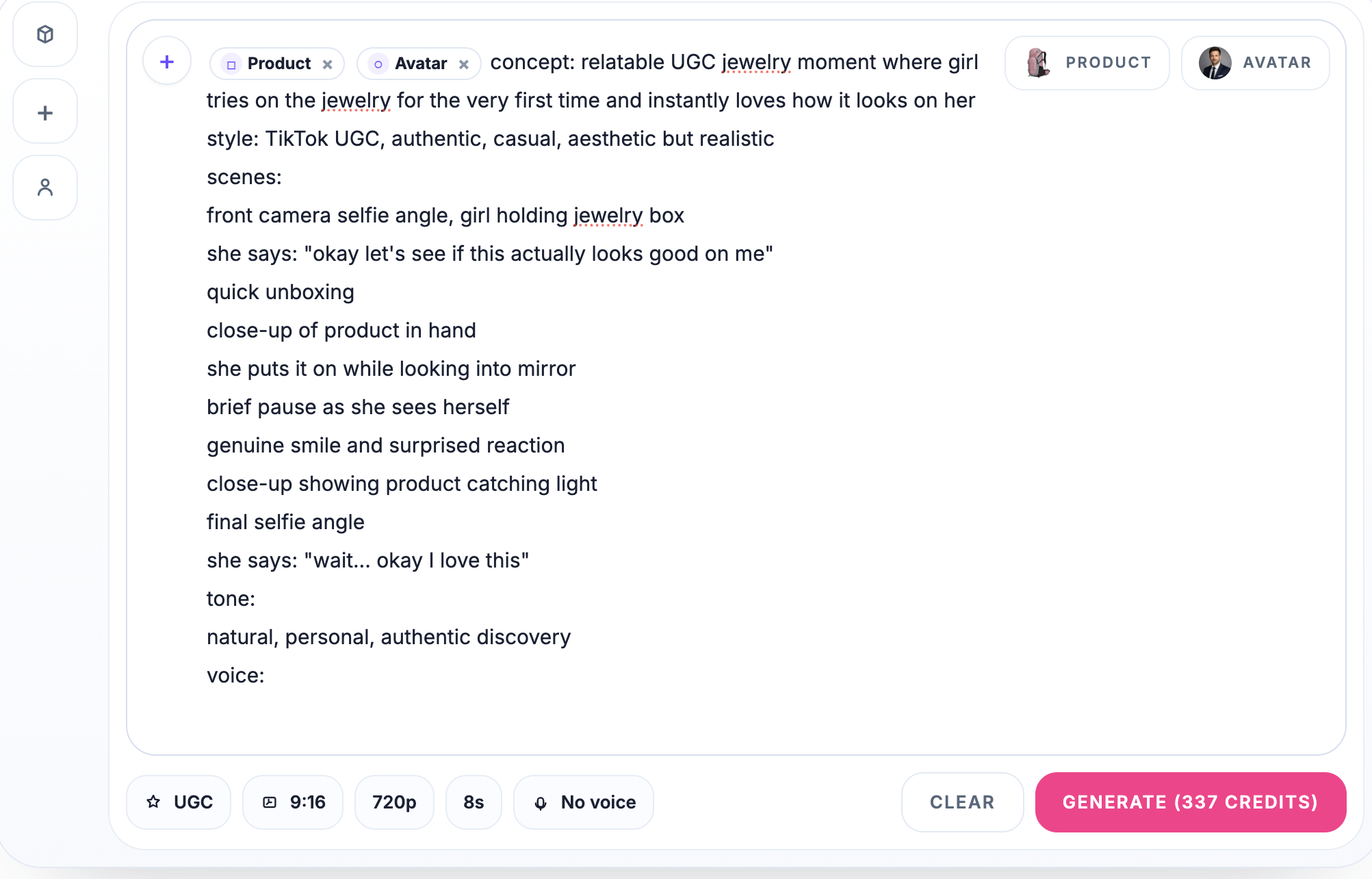
Once v4v processes the URL, it generates a product, so it can be used via selecting product or via typing "@" and choosing it.
Then you can input exact instruction of what it should do, You can edit any part of this before moving forward.
Step 3: Choose Your Avatar and Style
With the brief confirmed, you pick an avatar and visual style for the ad. Your products, avatars, and styles stay connected inside v4v's persistent creative system — so if you've run ads for this product before, your previous choices are already there.
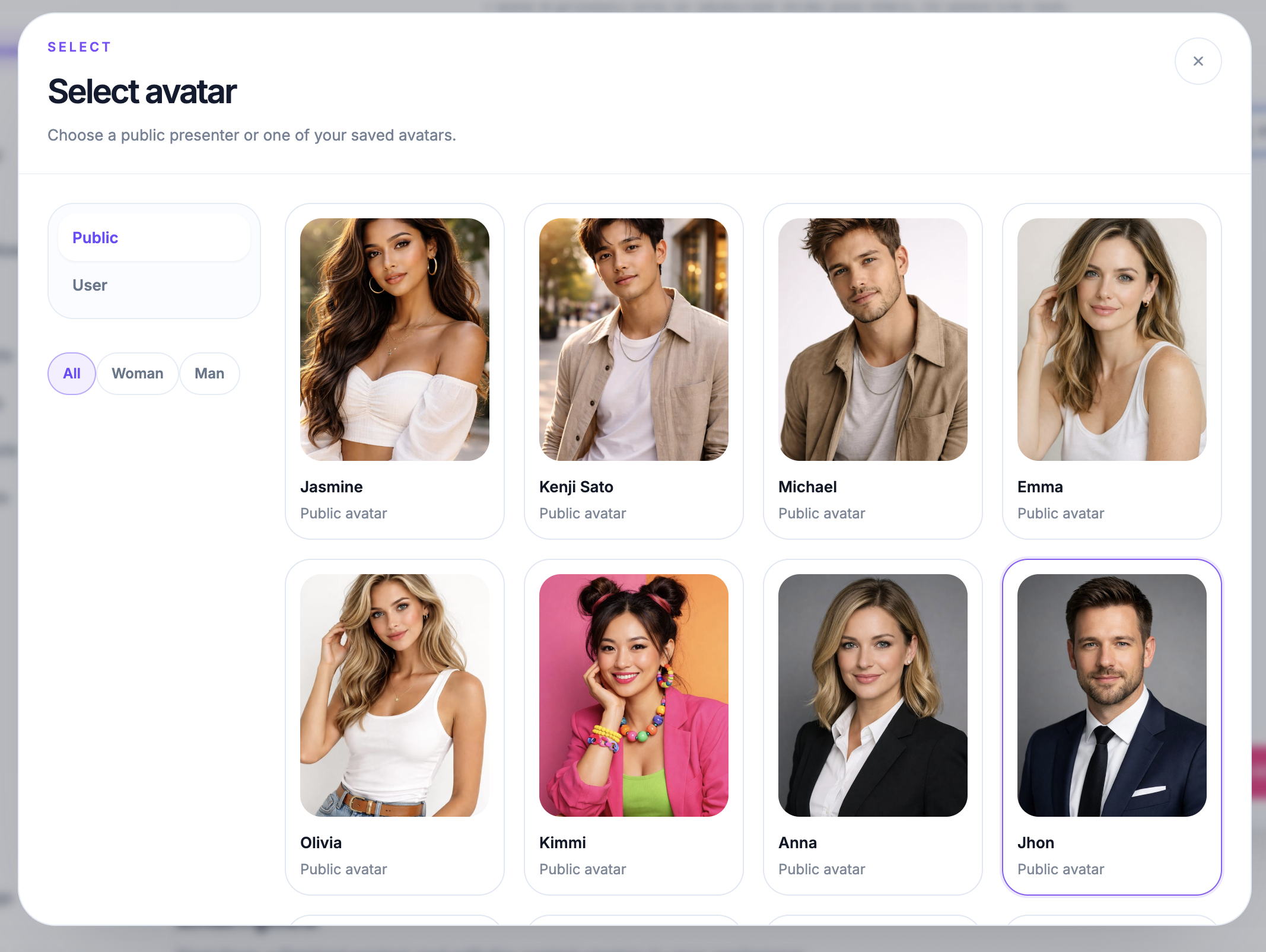
For a new product, select from the available avatars and choose a visual treatment that fits your brand. The output format is already set to 9:16, 720p — optimized for TikTok, Instagram Reels, and Meta vertical placements.
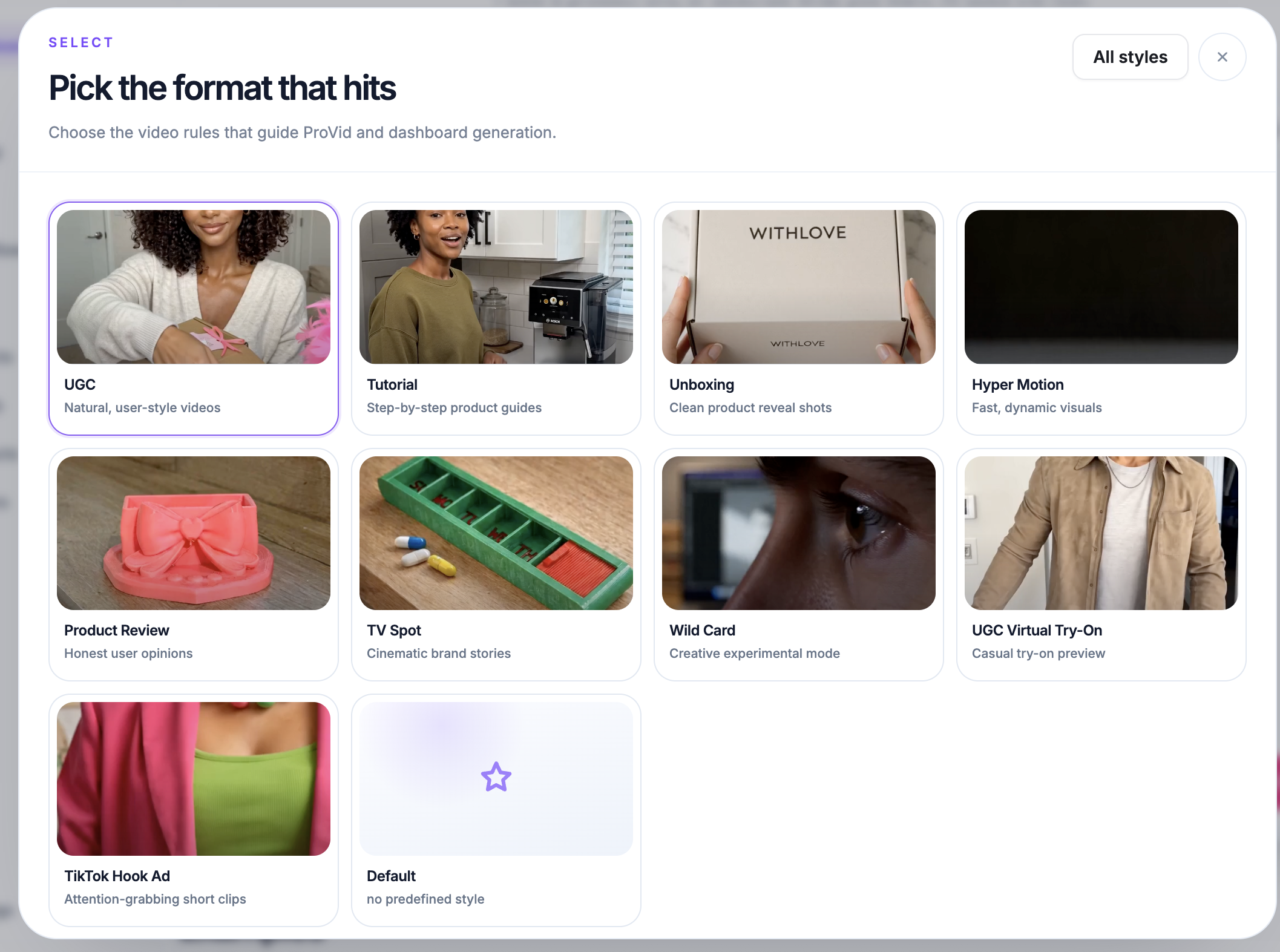
No manual resizing. No export settings to configure.
Step 4: Generate the Vertical Video
Hit generate. v4v runs the video through its model stack — Seedance 2.0, Kling 3.0, or Veo 3.1 depending on the workflow — and produces the finished vertical ad.
An 8-second video costs approximately 337 credits. At the $7 entry pack, that's roughly $2.44 per video. At the $35 pack (5,100 credits), the cost drops further.
While it generates, you're not waiting on a render queue or a freelancer. The model runs in the workspace and delivers output directly.
Step 5: Download and Run It
The finished ad comes out at 9:16, 720p — ready to upload to TikTok Ads Manager, Meta Ads, or Instagram. No reformatting, no additional editing required unless you want to make changes.
If you want a variation — different hook, different avatar, different style — you don't rebuild from scratch. Your product, assets, and brief are already saved. Run a second generation with one change. That's how you build creative volume fast.
What Makes This Different from Other AI Video Tools
Most AI video generators are text-to-video tools. You write a prompt, you get a clip. The product-to-ad workflow — where the tool reads your product page and builds the entire creative pipeline around it — is what separates a video generator from a video ad generator.
Tools like Creatify offer URL analysis, but their credit system makes actual costs unpredictable (quality videos can run 2–20 credits each, with credits expiring every two months). HeyGen and Synthesia focus on avatar videos for corporate use cases, not paid social product ads. InVideo AI gives you model access but no product-specific automation.
v4v connects the full pipeline: URL to brief to avatar to vertical ad, in one workspace, with your assets staying connected across every iteration. That's the difference between a tool you use once and a system you run every week.
If you manage multiple SKUs or multiple client brands, the Workflows feature lets you build this process once and automate it. One prompt, repeatable output, every time.
Learn more at v4v.ai
FAQs
What product URLs does v4v support?
v4v works with any live product page — Amazon listings, Shopify stores, brand websites, or other e-commerce platforms. As long as the page has product information publicly accessible, v4v can pull the data.
How much does it cost to generate one video ad?
An 8-second video using the Seedance 2.0 model costs approximately 349 credits. The smallest credit pack is $7 for 1,000 credits, which covers roughly two to three video generations. Larger packs bring the per-credit cost down.
Do I need a subscription to use v4v?
No. v4v uses a pay-per-use credit system with no monthly subscription. You top up credits when you need them and spend as you go.
Can I create multiple variations of the same ad?
Yes. Because v4v stores your products, avatars, styles, and assets in a persistent creative system, generating a second or third variation means changing one element and running the workflow again — not starting over.
What video format does v4v output?
The default output is 9:16 at 720p, optimized for vertical placements on TikTok, Instagram Reels, and Meta. You don't need to resize or reformat for paid social.
Which AI models does v4v use to generate videos?
v4v's model stack includes Seedance 2.0, Kling 3.0, and Veo 3.1 for video, along with GPT-image-2 for image editing, Suno for music, and lip sync and translation models for localized ad variants.
Is v4v suitable for agencies managing multiple clients?
Yes. The Workflows feature lets you build a reusable production pipeline and run it across different products or client SKUs. One workflow, many outputs — without rebuilding the process each time.